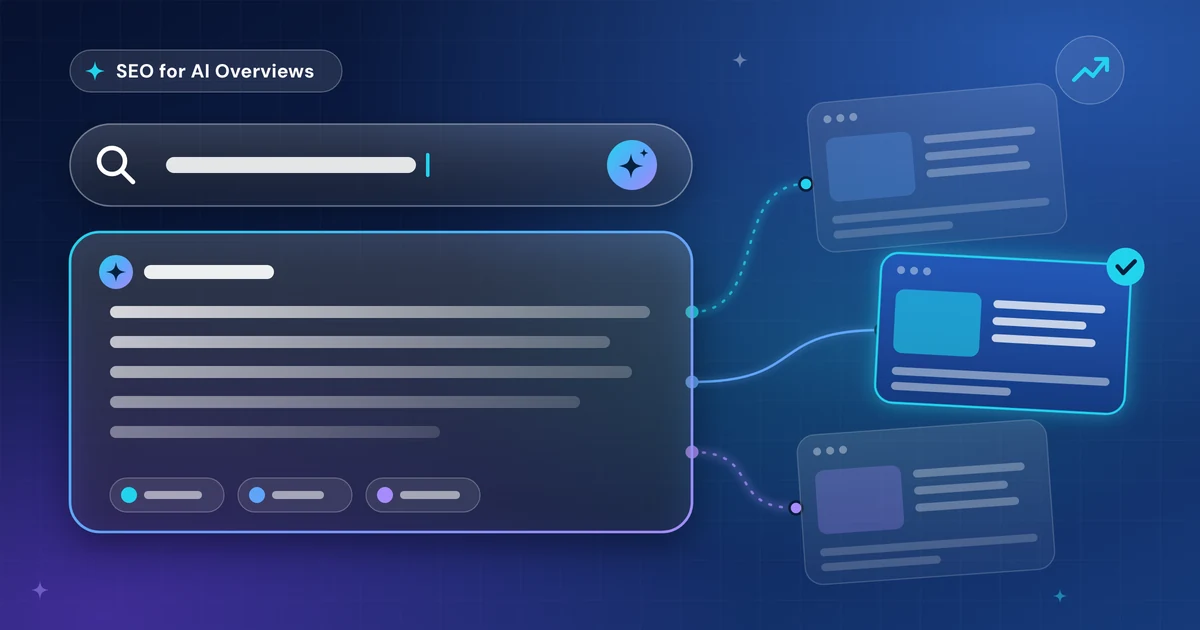
SEO for AI Overviews is ordinary SEO done well. Google says there are no extra requirements: a page must be indexed, eligible to show with a snippet and genuinely helpful. Original expert content, a crawlable site, clear authorship and strong internal links improve your chances. You don’t need llms.txt or special schema for Google.
Google now answers many searches with an AI-generated summary or a conversational reply, with links to sources alongside. For business owners, a summary sitting above the results can feel like lost visibility. The reassuring part is that Google’s own guidance says standard SEO best practices still apply. This guide explains what that means in practice, what to fix first, and which advice to ignore.
In this guide:
- AI Overviews vs AI Mode, and how Google finds sources
- Nine ways to optimise your website, with examples
- Is GEO or AEO different from SEO?
- A checklist and a 30-day plan
- Common mistakes, when to get help, and FAQs
What Are Google AI Overviews and AI Mode?
Both show AI-generated answers inside Google Search, but they behave differently.
| AI Overviews | AI Mode | |
|---|---|---|
| What it is | A summary shown on some results pages | A conversational search experience |
| Where it appears | At the top of standard results, only when Google judges it adds value | In its own AI Mode tab or view |
| Best for | Getting the gist of a complex topic quickly | Questions needing deeper reasoning, comparison or follow-ups |
| Links | Links to sources for further reading | Supporting links within a fuller AI response |
What Are Google AI Overviews?
AI Overviews are summaries that give the gist of a complex topic, with links for further reading. Google shows them only when it judges they add value beyond classic results, so they often don’t appear.
What Is Google AI Mode?
AI Mode is built for questions that need deeper reasoning or comparison. People ask follow-up questions and receive a fuller AI response with supporting links, rather than scanning a list of results. See Google’s own explanation in AI features and your website.
Does Traditional SEO Still Matter for Google AI Overviews?
Yes. Google says these features are rooted in its core Search ranking and quality systems. They draw on pages from the Search index. To be linked, a page must be indexed and eligible to appear with a snippet. Meeting that bar doesn’t guarantee a citation, but search intent, crawlability, site quality, original information and credibility all still count. In Google’s words, optimising for generative AI search is optimising for the search experience, which is SEO.
How Do AI Overviews and AI Mode Find Sources? Understanding Query Fan-Out
Google describes “query fan-out” as a set of related searches the model runs at the same time to gather more information on a question. For example, a question about marketing a clinic may trigger background searches on local search, reviews and costs.
What this means for you: one thorough page that answers a topic and its obvious follow-up questions has a better chance than several thin pages. Do not create separate pages just to target fan-out queries. Google warns that doing so can breach its scaled content abuse policy.
How to Optimise Your Website for Google AI Overviews and AI Mode
1. Create Helpful Content That Directly Answers Search Questions
Start with the questions customers actually ask you, then answer each one in the first one or two sentences under its heading before adding detail. This answer-first pattern helps readers, can help earn featured snippets and makes your point easy for any system to extract. You don’t need to chop content into tiny pieces for AI, because Google says its systems can understand several topics on one page. Clear headings are still worth having, since people use them to navigate.
2. Add Original Experience That Others Can’t Copy
Google calls this non-commodity content: unique expert or experienced takes that go beyond common knowledge. A generic list of tips repeats what a dozen other sites say. An explanation built on your own project experience does not. Add real examples, numbers, screenshots, mistakes you have seen and what you changed.
3. Build Topic Authority Around Your Main Services
Give each core service a strong page, then support it with articles on related questions. A well-organised set of pages shows what your business knows and helps Google place each page in context. For example, a service page on SEO can be supported by guides on local SEO, technical SEO checks and reading Search Console.
4. Improve Your Website’s Technical SEO
- Pages must be crawlable, indexable, mobile-friendly and reasonably fast. Work through this short list:
- Confirm that robots.txt, your CDN or your host isn’t blocking Googlebot.
- Keep key information in text, not only inside images, sliders or scripts.
- Check that you haven’t used nosnippet, data-nosnippet or a very low max-snippet value on pages you want shown. These controls limit what Google can display.
- In Search Console, open Settings, then Search generative AI, and confirm your site is set to Include. Google says a site must be included to be eligible, and excluding it removes your links and content from AI Overviews and AI Mode.
5. Demonstrate Experience, Expertise and Credibility
Publish accurate, current information with named authors, an About page and clear business details. Keep your name, address and phone number identical across your site, Google Business Profile and directories. Cite trustworthy sources and share first-hand lessons. Earn genuine mentions through useful content, client reviews, partnerships and local listings rather than manufacturing them. E-E-A-T is a way of thinking about quality, not a single score or ranking switch.
6. Use Structured Data Where It Is Relevant
Valid structured data helps search engines understand a page and can support rich-result eligibility. Google does not require special AI Overview schema or GEO markup, and any markup must match the visible content. For a blog, sensible choices are BlogPosting (with author and dates), Organization and BreadcrumbList. Test it with Google’s Rich Results Test.
7. Strengthen Internal Links and Website Structure
Link service pages to supporting articles, and articles back to service pages, using descriptive anchor text. Visitors find related information faster, and Google discovers more of your content. Avoid vague anchors such as “click here”.
8. Support Your Text with Images and Video
Google says its generative AI features can bring in relevant images and video, which creates more chances to appear. Use original screenshots, diagrams or short explainer videos with descriptive file names, alt text and captions. Skip stock photos that add nothing.
9. Monitor Search Performance and AI Search Visibility
Search Console’s performance report shows impressions, clicks, queries and landing pages. Its Generative AI performance report, where available, adds impressions from AI features, though not clicks. Clicks from AI features are counted in the standard Performance report under the Web search type, so track them there alongside analytics conversions. Trust Search Console over third-party visibility scores, because Google says no outside tool can see its internal ranking systems.
Is GEO or AEO Different from SEO?
Generative Engine Optimisation (GEO) and Answer Engine Optimisation (AEO) are popular labels for improving visibility in AI answers. From Google Search’s perspective, they are part of SEO, not a separate discipline. Treat anyone who sells a secret GEO or AEO formula with caution.
Google is not the only place people ask questions. ChatGPT search, Perplexity, Microsoft Copilot and others each use their own crawlers and sources, and their behaviour can change. The fundamentals carry over: crawlable pages, original content, clear authorship and consistent brand information. If you want to be cited there, check that your robots.txt does not block their search crawlers (for example OAI-SearchBot and PerplexityBot), and keep your site indexed in Bing. Note that Google-Extended in robots.txt is aimed at AI training and is separate from the Search setting that decides whether you appear in AI Overviews. Google’s guidance covers Google only, so confirm other platforms in their own documentation.
AI Overviews SEO Checklist: Before You Publish
- The page answers its main question in the first two sentences.
- It includes at least one original example, number or lesson from real work.
- A named author, date and last-reviewed date are visible.
- The page is indexed, mobile-friendly and not blocked by robots.txt or snippet controls.
- It links to related service and blog pages with descriptive anchors.
- Structured data, if used, matches the visible content.
- Images have useful alt text, and claims link to reliable sources.
- Your Search Console AI setting is on Include, and you will review performance monthly.
A 30-Day Plan to Improve Your SEO for AI Overviews
| Week | Focus | What to do |
|---|---|---|
| 1 | Eligibility | Confirm key pages are indexed, check robots.txt and snippet controls, and check the Search generative AI setting in Search Console. |
| 2 | Content | Rewrite your top three service pages or FAQs answer-first. Add original examples, an author name and a last-updated date. |
| 3 | Structure | Link service pages and articles to each other with descriptive anchors. Add BlogPosting and Organization schema. Improve images and alt text. |
| 4 | Measure | Record baseline impressions, clicks and conversions. Plan two supporting articles and book a monthly review. |
Common SEO Mistakes to Avoid When Optimising for AI Search
- Publishing generic articles that repeat existing information.
- Stuffing AI-related keywords into every paragraph.
- Creating separate pages for minor keyword variations or fan-out queries.
- Adding structured data that doesn’t match visible content.
- Assuming llms.txt guarantees visibility. Google says it isn’t needed.
- Blocking important pages or resources from crawling.
- Buying artificial brand mentions or low-quality backlinks.
- Promising guaranteed AI Overview placements.
None of these creates a reliable path to AI search visibility, and mass-produced pages can breach Google’s spam policies.
When Should You Consider Professional SEO Services?
Outside help makes sense when:
- Important pages aren’t being indexed properly.
- Organic traffic or keyword visibility is declining.
- The website has technical SEO problems.
- Content doesn’t answer customer questions.
- There is no clear internal-linking or content strategy.
- You want stronger local and broader organic visibility.
At TechWalk Solutions, we cover these fundamentals through on-page SEO (keyword targeting, meta tags, structured content), technical SEO (speed, security, mobile responsiveness, crawlability), local SEO (Google Business Profile, local keywords, citations) and off-page SEO (backlinks, brand credibility). If your site needs that foundation, explore our professional SEO services in Chandigarh, see our wider digital marketing services, or talk to our team about an SEO review. Getting the basics right remains the most dependable SEO for AI Overviews.
Frequently Asked Questions
Can a small business website appear in Google AI Overviews?
Yes, if its pages are indexed, eligible to show with a snippet and genuinely useful. Google says AI features can surface a wider range of sites, but appearance is never guaranteed. Specific content about your services and area gives you the best chance.
Does Google require special SEO techniques for AI Overviews?
No. Google states there are no additional requirements or special optimisations for AI Overviews or AI Mode. You don’t need llms.txt, special markup or content rewritten for AI. Focus on helpful pages that meet normal Search requirements.
What is the difference between AI Overviews and AI Mode?
AI Overviews are short summaries shown on some results pages, with links to sources. AI Mode is a conversational experience for deeper questions, where people ask follow-ups and get a fuller answer with supporting links.
Is GEO or AEO different from SEO?
Not from Google’s perspective. Google treats optimising for generative AI search as part of SEO. The practical work is the same: helpful original content, crawlable pages, clear authorship and sound site structure. Be wary of services promising guaranteed AI placements.
Does structured data help a website appear in AI Mode?
Not directly. Google says no special schema is needed. Valid structured data that matches visible content still supports rich-result eligibility, so keep it as part of normal SEO without expecting it to trigger AI citations.
Can I opt out of AI Overviews and AI Mode?
Yes. Search Console has a Search generative AI setting under Settings that lets you include or exclude your site’s links and content. Google says excluding removes you from these features and their traffic, and that the setting doesn’t directly change standard rankings. Check the report first to see what you would lose.
Do I need an llms.txt file?
Not for Google Search. Google says you don’t need AI-specific text files or Markdown versions of your pages to appear in its AI features. Creating one won’t help or hurt your Google visibility, so spend the time on content instead.
How can I measure my website’s visibility in Google’s AI search features?
Use Search Console. The Generative AI performance report shows impressions by page, country and device, though not clicks. Clicks from AI features appear in the standard Performance report, so combine the two with analytics conversions to see whether visibility turns into enquiries.