Last reviewed November 2026 against Google’s Business Profile Help documentation.
A customer types “dentist near me” into Google, scans the map results, and calls the business that looks most reliable. Whether that call comes to you often depends on your Business Profile. Google Business Profile optimization is how local businesses keep that listing complete, accurate, and trustworthy. This guide covers what it involves, ten practical steps, why a profile may not appear on Google Maps, common mistakes, and how it fits into local SEO in Chandigarh.
What Is Google Business Profile Optimization?
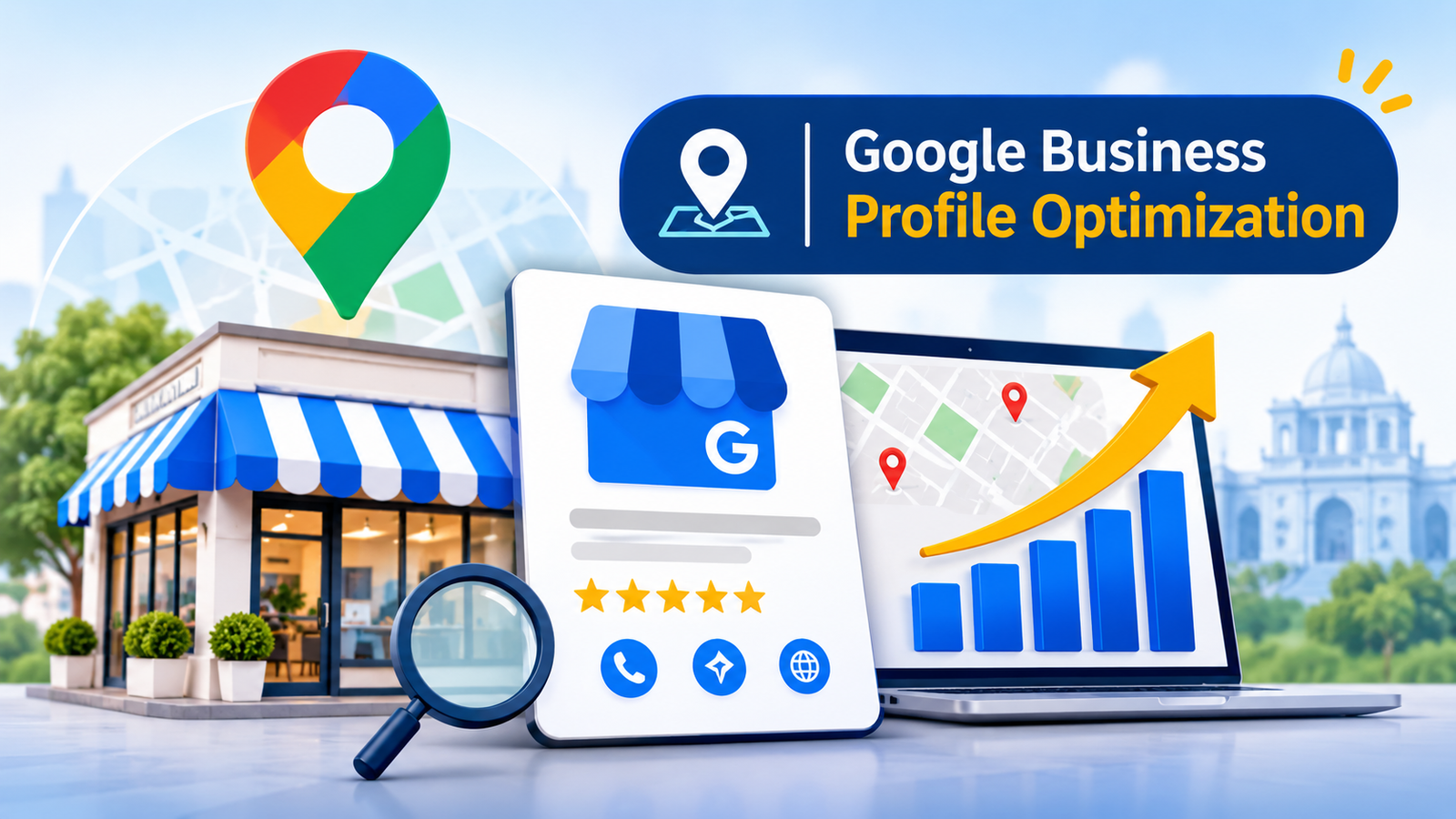
Google Business Profile optimization is the process of completing, correcting, and regularly maintaining your business listing so Google can match it to relevant local searches and customers can trust what they find. The profile is the free listing on Google Search and Google Maps that shows your name, address, hours, photos, reviews, and contact options. It was previously called Google My Business.
Creating a profile gets you listed. Optimizing it means accurate categories, details that match your website, genuine photos, and replies to reviews.
Why Google Business Profile Optimization Matters for Local SEO
Your profile is often the first thing a local customer sees, before your website. It lets them call, request directions, visit your website, or message you, and the Performance report shows how often they do.
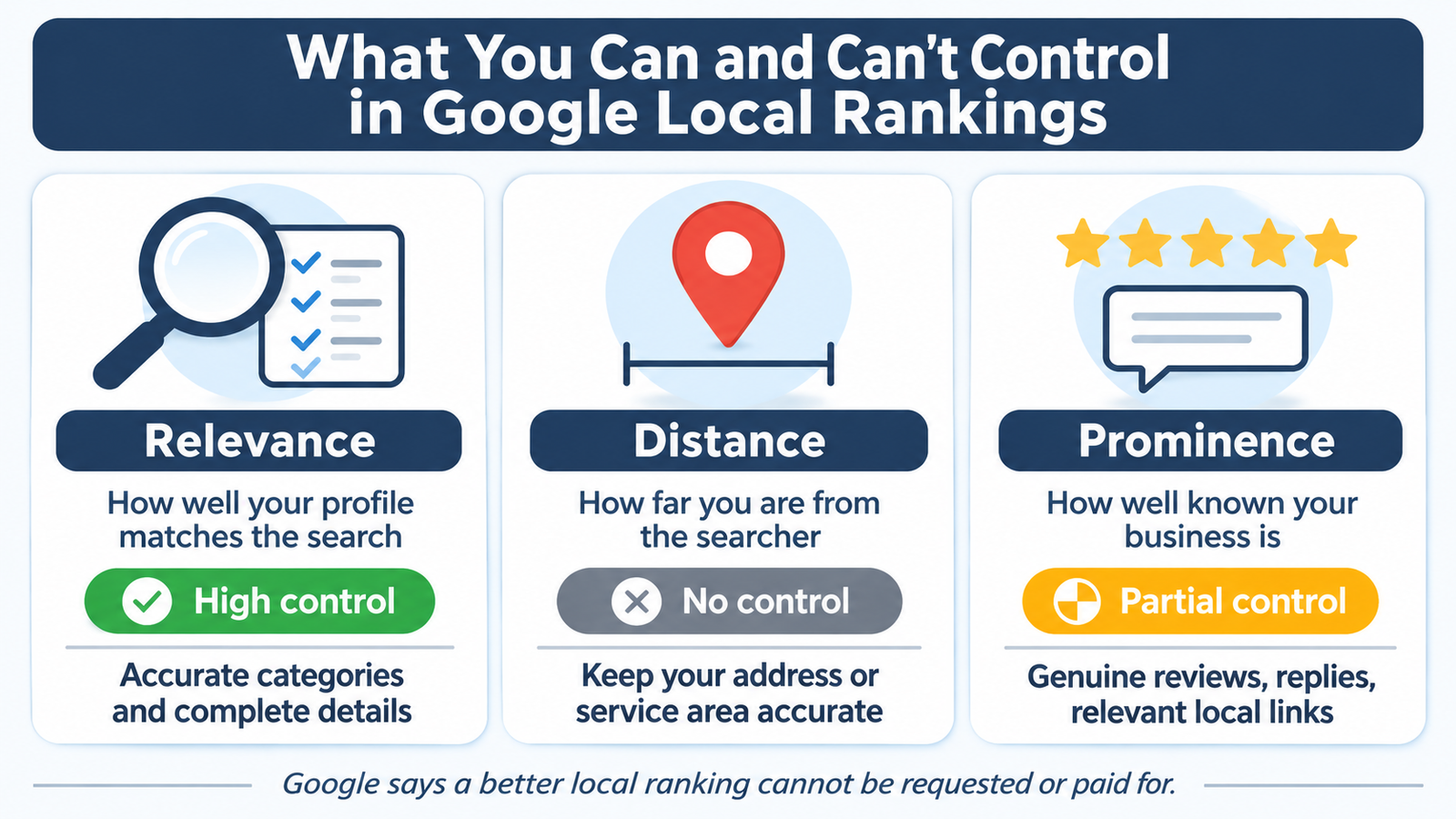
Google says local results are mainly based on relevance, distance, and prominence. Relevance is how well your profile matches the search, distance is how far you are from the searcher, and prominence is how well known your business is, which reviews and links from other websites influence. You cannot change distance, and Google says a better local ranking cannot be requested or paid for. You can improve completeness and reputation, which is why profile work belongs inside a wider local SEO strategy.
10 Essential Google Business Profile Optimization Tips
1. Complete and Verify Your Business Profile
Verification tells Google you are authorized to represent the business, and verified profiles are more likely to appear in results. Performance data is also available only for verified profiles. Fill in every field that applies to you.
2. Choose the Right Primary and Secondary Categories
Choose the most specific primary category that describes your core business, such as “Dental clinic” rather than “Health.” Google advises using as few categories as it takes to describe the business, so add a secondary category only when it reflects something you genuinely do.
3. Write a Clear and Informative Business Description
Explain what you offer, who you serve, and your history in plain language. Google does not allow links in this field, or content centred on promotions, prices, or sales. Mention the areas you serve naturally, without a list of keywords.
4. Maintain Accurate Business Name, Address, Phone Number, and Hours
Use your real business name from your signage, without taglines or keywords. Keep your address, phone number, and hours identical on your website and in directories; this is NAP consistency. In Chandigarh, choose one way of writing sector addresses, such as “Sector 17”, and use it everywhere. Add special hours for holidays. If you serve customers at their location and have no storefront, Google advises hiding your address and setting a service area.
5. Add Relevant Photos and Videos
Genuine photos of your storefront, team, products, and finished work show customers what to expect. A restaurant might show its dining area; a clinic, its reception. Avoid stock images or anything misleading.
6. Add and Maintain Your Products and Services
List the services you actually provide, and remove anything you no longer offer. In-store product listings are limited to certain countries, so check whether they apply to you.
7. Publish Useful Google Business Profile Posts
Posts let you share updates, events, and offers directly on your profile. Use them when you have something worth saying, like a new service or festival timings. Google does not state that posting frequency guarantees higher rankings.
8. Encourage Genuine Customer Reviews and Respond to Them
Google notes that more reviews and positive ratings can help local ranking. Ask satisfied customers to share their experience, but never offer discounts or gifts in exchange, and do not selectively ask only happy customers. Google treats paid, incentivized, and fake reviews as violations. Reply politely and specifically; a calm answer to a complaint shows future customers how you handle problems.
9. Keep Business Information Updated and Consistent
When your phone number, location, or services change, update the profile first, then your website, then local directories. Google says businesses with complete and accurate information are more likely to appear in local results. If you rebrand, follow Google’s process instead of creating a second profile.
10. Monitor Performance and Improve Your Strategy
A verified profile’s Performance section shows views, searches, calls, website clicks, directions, and messages where they apply. If many people view the profile but few call, check your hours, photos, and reviews. Use the data to decide what to fix next.
Why Is My Business Not Showing on Google Maps?
The profile may be unverified, which makes it less likely to appear. The information may be incomplete or wrong, so Google cannot match it to the search. The category may not describe what you do. A duplicate profile can cause display problems, and a listing that breaks a guideline, such as a virtual office address or a name padded with keywords, risks edits being rejected or suspension. Distance also matters: a searcher far from you may see closer competitors first. Check verification and guideline compliance first, then completeness.
Common Google Business Profile Optimization Mistakes to Avoid
These shortcuts cause the most trouble:
- Keywords or taglines in the business name
- Categories that do not describe the core business
- Duplicate profiles for one location
- Inaccurate addresses, virtual offices, or P.O. boxes
- Paid or incentivized reviews
- Unanswered reviews, especially negative ones
- Outdated phone numbers or hours
Google can reject edits or suspend profiles that break its guidelines for representing your business.
How Google Business Profile Optimization Supports Local SEO in Chandigarh
For a business in Chandigarh, Mohali, or Panchkula, the profile is one signal among several. Accurate details help Google understand what you do and where you operate. Your website should tell the same story, with service pages that name your area and content that answers local questions. Consistent details across directories reinforce it, and genuine reviews and relevant local links add to prominence.
A clinic with a thin website, or a shop with great reviews and inconsistent contact details, leaves visibility on the table. If you want one team to handle the website, citations, and Google Maps visibility together, explore the Best SEO Services in Chandigarh from TechWalk Solutions.
Build a Stronger Local Presence with Google Business Profile Optimization
If you only do four things this week, verify the profile, check your category and contact details, add real photos, and reply to unanswered reviews. Then set a monthly reminder to review performance and fix what has changed, because optimization is ongoing.
If you would rather have specialists manage it alongside your website, TechWalk Solutions offers local SEO support in Chandigarh.
Frequently Asked Questions
What is Google Business Profile optimization?
It is the ongoing process of keeping your Google listing complete, accurate, and active so it can appear for relevant local searches and give customers reliable information.
How can I improve my Google Business Profile ranking?
Verify the profile, choose accurate categories, keep your name, address, and phone number correct, add genuine photos, and earn real reviews and respond to them. Google says local ranking depends on relevance, distance, and prominence, and that a better ranking cannot be requested or bought.
Does Google Business Profile help with local SEO?
Yes. It influences how your business appears in Google Maps and local results, so it is a core part of local SEO. It works best alongside a relevant website and consistent business details elsewhere online.
How often should I update my Google Business Profile?
Update it whenever something changes, such as hours, contact details, or services. Beyond that, a monthly check of reviews, photos, posts, and performance is a practical routine.
Can a professional SEO agency help optimize my Google Business Profile?
Yes. An agency can audit the profile, fix categories and inconsistencies, set up an ethical review process, and connect the profile with website SEO. Make sure any agency follows Google’s guidelines and never buys reviews.