Most companies hit the same wall eventually: too many manual tasks consume hours that should go toward growth. That’s usually the moment someone starts searching to hire an AI automation expert on Upwork instead of trying to build a fix in-house. It’s a reasonable instinct – automation work touches APIs, AI models, and business logic all at once, and getting it wrong can cost more time than it saves. This guide walks through what these experts actually do, what separates a strong Upwork profile from a weak one, and how to make a hiring decision you won’t regret.
Why Businesses Are Hiring AI Automation Experts
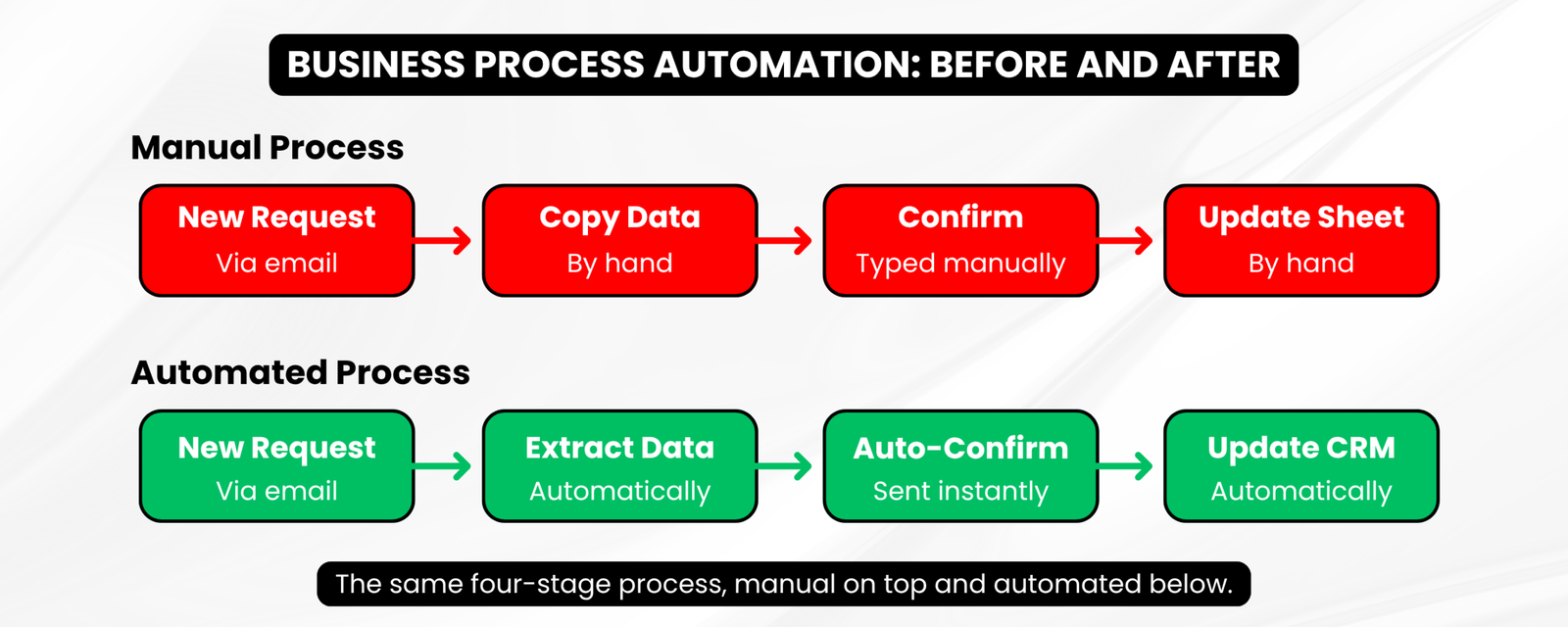
Most companies don’t wake up wanting automation for its own sake. They want fewer dropped leads, faster response times, and less time spent on repetitive admin work. AI automation for businesses usually starts with one specific pain point – a support inbox that’s always behind, a CRM that never gets updated, or a sales team manually copying data between tools.
Once that first workflow is automated, most owners find other places for it: onboarding, reporting, invoice follow-ups, lead routing. This falls under the broader idea of Business Process Automation – using technology to handle repetitive work that used to eat up someone’s entire afternoon.
What Does an AI Automation Expert Actually Do?
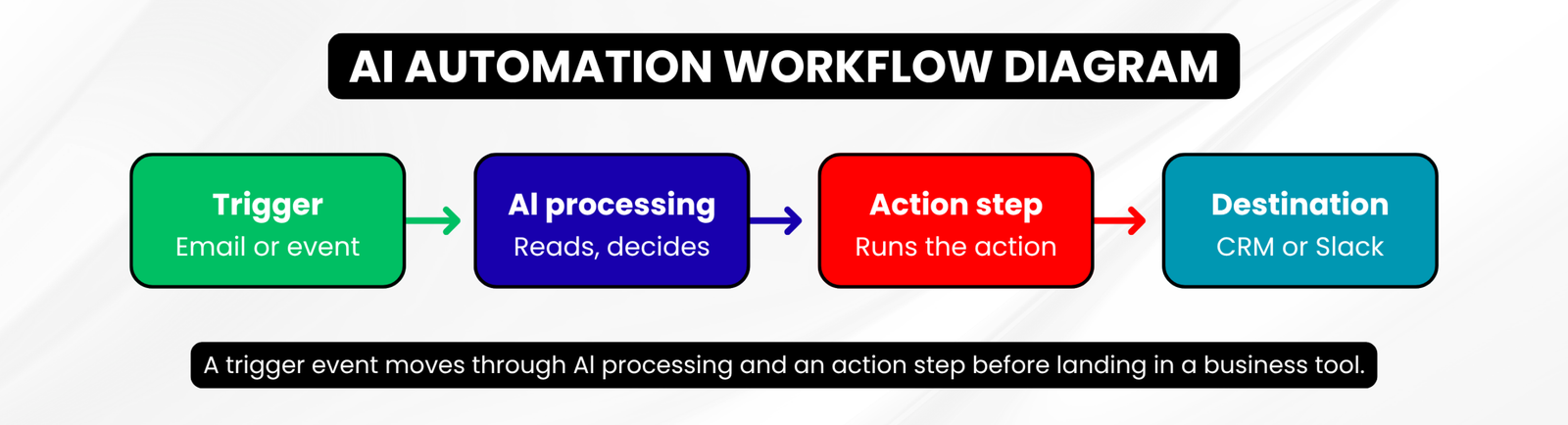
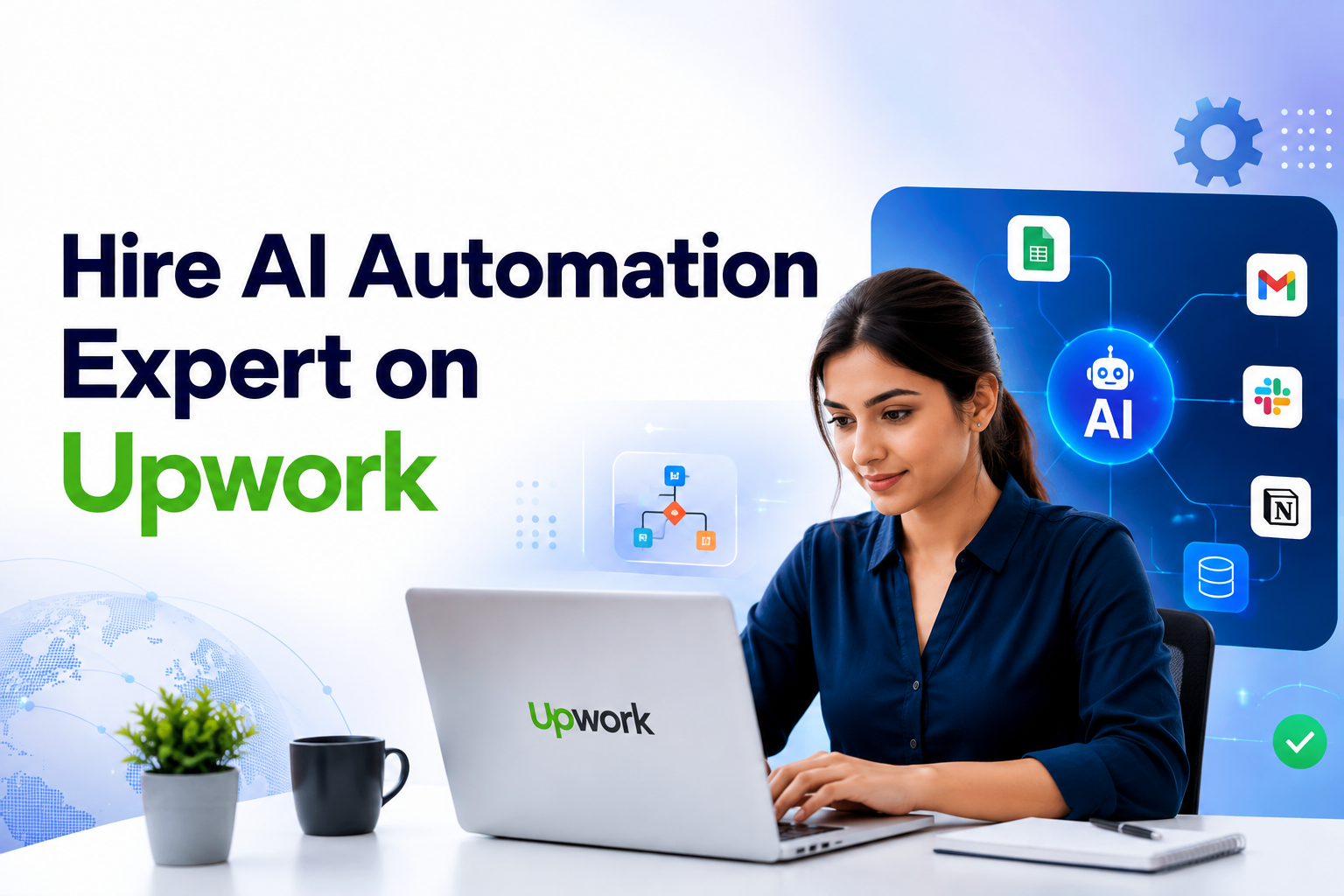
An AI automation expert builds systems that move information between tools automatically, often adding AI decision-making somewhere in the process. That might mean a chatbot that qualifies leads before they reach a salesperson, or a workflow that reads incoming emails, summarises them with a language model, and creates a task in your project management tool.
The day-to-day work usually involves APIs, webhooks, and platforms like n8n, Zapier, or Make. An AI Automation Developer typically also works with tools like OpenAI’s models to add reasoning into a workflow – drafting replies, extracting data from documents, or classifying incoming requests.
Some projects go further into AI agents – systems that take multiple steps on their own, checking a database, calling an API, then deciding what to do next based on the result. Others use RAG (retrieval-augmented generation), where a model pulls answers from your own documents instead of guessing.
Hire AI Automation Expert on Upwork: What to Look For
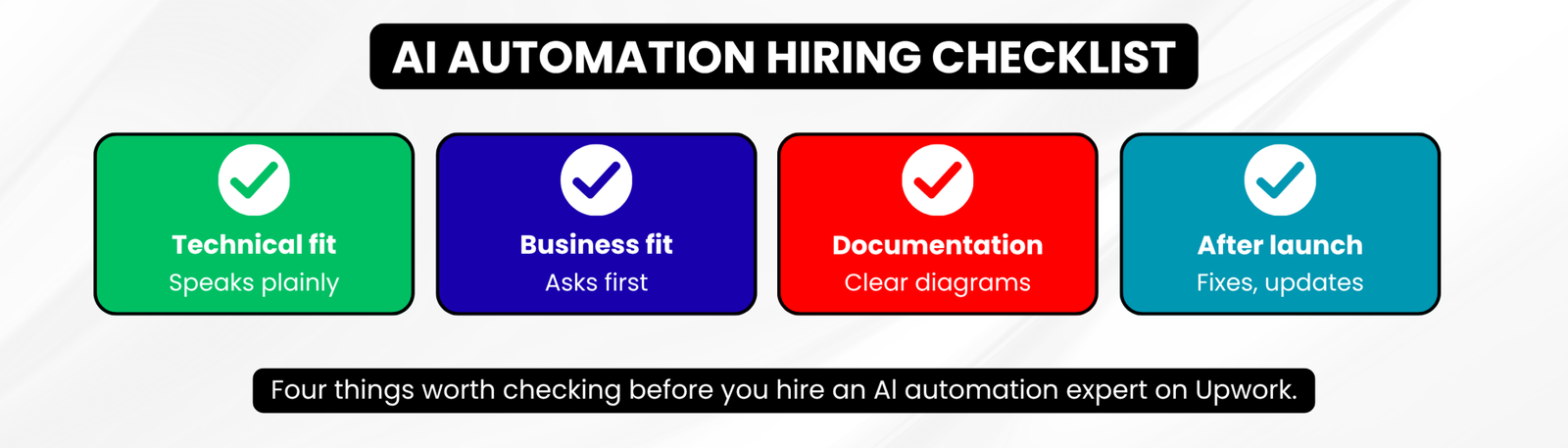
When you hire an AI automation expert on Upwork, the profile alone won’t tell you everything. Look past the star rating and read how someone actually communicates. A few things matter more than most people expect:
- Technical range: can they explain n8n, APIs, and AI models in plain language, or only in buzzwords?
- Business understanding: do they ask about your workflow before pitching a solution?
- Documentation habits: will you get a diagram you can maintain, or just an unexplained account?
- Post-project support: what happens if the automation breaks after a Slack update or an API change?
A freelancer who asks clarifying questions before quoting a price is usually a better sign than one who sends a fast, generic proposal. Automation work depends on the specifics of your tools, so vague quotes usually mean vague understanding.
Skills an AI Automation Freelancer Should Have
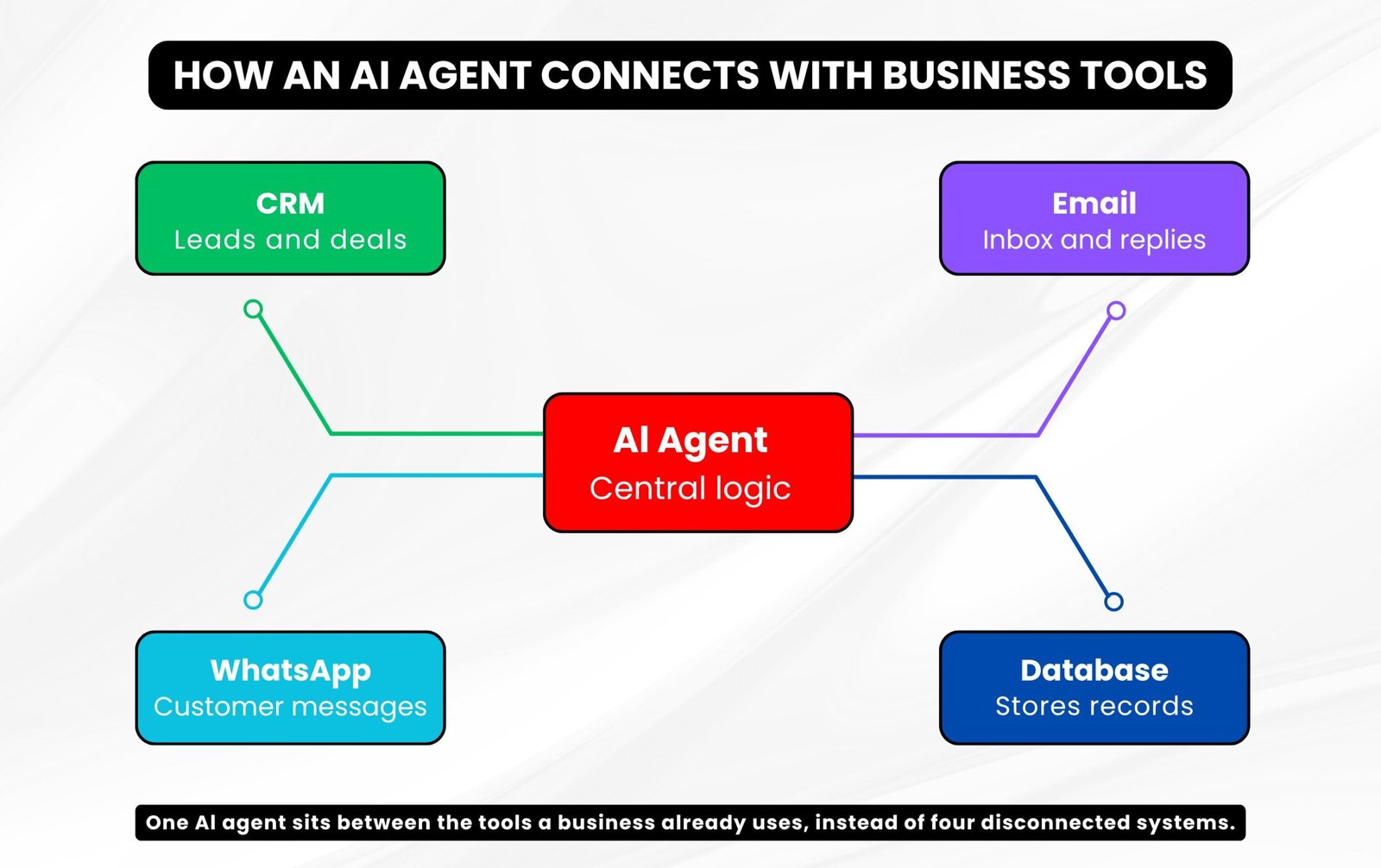
A capable AI Automation Freelancer should be comfortable with more than one automation platform, since no single tool fits every business. Look for experience with:
- Workflow builders such as n8n, Zapier, or Make
- API integration and webhooks, for connecting tools that don’t talk to each other by default
- CRM platforms, so automations actually fit into your sales process
- OpenAI or similar LLM providers, for text generation, summarisation, or classification
- Google Workspace, Slack, and WhatsApp, since a lot of business communication runs through these
If your project centres on autonomous, multi-step decision-making rather than simple tool-to-tool connections, it may make more sense to specifically hire AI Agent Developer talent instead of a general automation freelancer.
How to Evaluate an Upwork AI Automation Profile
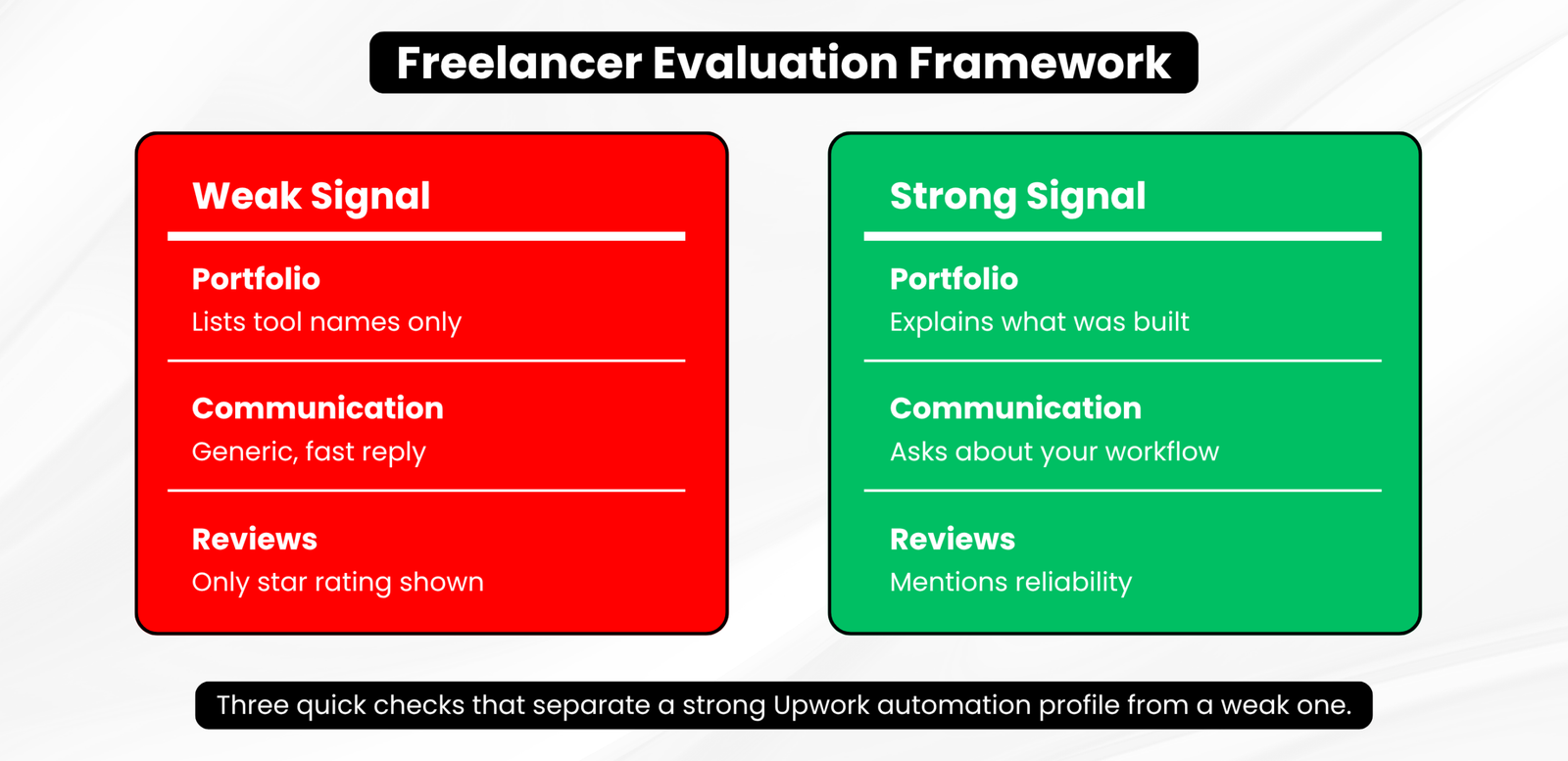
Job Success Score and star reviews are a starting point, not the whole picture. A few things are worth checking directly:
- Portfolio specifics: do past projects describe what was actually built, or just list tool names?
- Written communication: does the profile description read like it was written by someone who understands the work?
- Project variety: have they worked across different industries, or only one narrow use case?
If you’re specifically looking for an n8n Developer on Upwork, check whether their listed projects show actual n8n workflows rather than a general automation label attached after the fact.
Questions to Ask Before You Hire an AI Automation Expert
A short conversation before the contract starts can save weeks later. Useful questions include:
- What tools and data sources will this automation depend on?
- What happens if an API changes or a service goes down?
- Will I receive documentation I can hand to someone else later?
- How do you handle data security and access to sensitive accounts?
- What’s included after launch, and what counts as a separate request?
None of these questions requires deep technical knowledge to ask. They simply push the conversation toward specifics instead of general promises.
Common Mistakes Businesses Make When Hiring AI Automation Experts
The most common mistake is choosing based on price alone. A cheaper quote often means a narrower scope, less testing, or no documentation – costs that show up later, not upfront. Other frequent issues:
- Vague project requirements, which lead to a workflow that technically works but doesn’t solve the real problem
- No portfolio evidence, relying only on a proposal’s promises
- Poor communication early on, which usually predicts poor communication mid-project
- Ignoring scalability and security, especially when automations touch customer data or payment systems
Whether you decide to hirean AI Automation Freelancer on Upwork for a single workflow or an ongoing project, the evaluation process should stay the same.
When Should You Hire an AI Automation Expert on Upwork?
Hiring outside help usually makes sense when the project needs technical skills your team doesn’t have, when time matters more than building in-house knowledge, or when you want an outside perspective on how a process should actually work.
Handling automation internally can work fine for very simple, low-stakes tasks – a basic email forward or a single spreadsheet update. But once a workflow touches customer data, multiple tools, or AI-generated responses, it’s usually worth bringing in someone who works with these systems regularly. Before you hire AI automation developer talent, it helps to know which category your project actually falls into.
My Experience as an AI Automation Expert
I’m Aakansha Pundir, and I work as an AI automation expert with both local and international clients through Upwork. Most of the projects I take on involve connecting a business’s existing tools – CRMs, email, WhatsApp, Google Workspace – into workflows that reduce manual, repetitive work, often using n8n along with OpenAI’s models where AI reasoning genuinely adds value.
My approach starts with understanding the actual bottleneck before touching any tool. A workflow diagram that looks impressive but doesn’t map to how your team actually works isn’t useful – I’d rather build something smaller that fits your process than something complex that requires you to change how you operate.
You can see examples of my work on my Upwork profile.
Hiring an AI automation expert isn’t about finding the cheapest quote or the most impressive-sounding proposal. It’s about finding someone who asks the right questions, explains their approach clearly, and can support what they build after launch. Whether your project is a single workflow or something more involved, take the time to evaluate communication and documentation as closely as technical skill – which combination is usually what determines whether an automation project actually holds up once it’s running.
If you want to grow your business online, visit my profile or feel free to contact us at: https://techwalksol.com/contact-us/
Frequently Asked Questions
Q.1 What does an AI automation expert do on Upwork?
An AI automation expert connects your business tools – like your CRM, email, or WhatsApp – into automated workflows, often using AI to handle decisions such as replying, summarising, or classifying information. The goal is to reduce repetitive manual work without you managing every step yourself.
Q.2 How much does it cost to hire an AI automation expert on Upwork?
Costs vary by scope – a single automated workflow might run a few hundred dollars, while multi-step systems involving AI agents and several integrations can run into the thousands. Most freelancers price by project, not a flat rate, so get a detailed quote before committing.
Q.3 What’s the difference between an AI Automation Developer and an AI Agent Developer?
An AI Automation Developer typically connects existing tools through set workflows, like moving form data into a CRM. An AI Agent Developer builds systems that make multi-step decisions on their own – checking a database, then deciding what to do next without a fixed script.
Q.4 Is n8n better than Zapier for business automation?
Neither is universally better. n8n is open-source, more flexible for custom logic, and often cheaper at scale; Zapier is simpler for basic workflows and has a larger app library. An n8n Developer on Upwork can help you decide based on your tools and budget.
Q.5 How long does an AI automation project usually take?
A single, well-defined workflow can often be built in a few days. More complex projects involving multiple tools or AI agents can take several weeks. The timeline depends mostly on how clearly your requirements are defined before work starts.
Q.6 Do I need technical knowledge to work with an AI automation freelancer?
No. A good AI Automation Freelancer should explain their approach in plain language. You should understand what’s being built and why, even without knowing how to code or configure the tools yourself.
Q.7 Can AI automation replace an entire team’s manual work?
Not usually. Automation typically handles specific repetitive tasks – data entry, follow-ups, lead routing – rather than replacing a team. Most businesses use it to free up staff time for higher-value work, not to eliminate roles.
Q.8 Is it safe to hire an AI automation developer on Upwork?
Upwork’s payment protection and verified work history reduce risk compared to hiring off-platform. Still, check a candidate’s portfolio, ask about data security practices, and use milestone payments on larger projects.
Q.9 What tools do AI automation experts commonly use?
Most projects involve workflow platforms like n8n, Zapier, or Make, combined with APIs, webhooks, and AI models such as OpenAI’s for text generation or classification. The right mix depends on which tools your business already runs on.
Q.10 Should I hire an AI automation expert for a one-time project or ongoing work?
It depends on your needs. A one-time engagement suits a single defined workflow; ongoing work makes sense if you plan to expand automation across multiple processes over time. Many businesses start with one project before deciding.